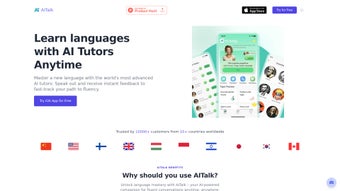

Download AITalk – AI‑Powered Language Learning Tool for Fluent Speaking
Overview
AITalk is a web‑based language learning platform that blends cutting‑edge artificial intelligence with real‑time conversation practice. Designed for learners ranging from beginners to advanced speakers, the app creates immersive, chat‑based dialogues with AI characters that mimic native speakers from a variety of dialects and cultural backgrounds. What truly sets AITalk apart is its laser focus on speaking fluency, especially for high‑stakes exams such as IELTS Speaking, TOEFL iBT, and the Cambridge English exams. Users receive instant, AI‑driven feedback on pronunciation, vocabulary choice, grammatical accuracy, and even prosodic features like intonation and stress patterns, allowing them to correct mistakes on the spot and reinforce correct habits.
The platform also integrates AI‑driven writing assistance, a comprehensive grammar correction engine, and a creative naming tool that can generate brand‑ready titles, product names, or domain ideas. Because AITalk runs entirely in the browser, there is no need for heavyweight installations, frequent patching, or manual updates – the cloud‑based backend automatically pushes the latest language models and UI enhancements. The interface is clean, intuitive, and responsive, adapting seamlessly to desktop monitors, laptop screens, tablets, and smartphones. Learners can switch between speaking, writing, and creative modes with a single click, making the tool a true all‑in‑one language companion.
Behind the scenes, AITalk employs transformer‑based language models fine‑tuned on millions of real‑world conversational transcripts. This ensures that the AI tutors not only understand nuanced user input but also generate context‑appropriate responses that feel natural and engaging. The adaptive algorithm continuously monitors a learner’s performance, identifies recurring error patterns, and adjusts the difficulty of prompts accordingly. As a result, users report higher confidence, better retention, and measurable improvement in both spoken and written language skills after just a few weeks of regular practice.
Core Features that Drive Real Progress
Interactive AI Tutors
- Dynamic conversation partners that adjust difficulty based on user performance.
- Voice‑enabled chat for pronunciation practice and real‑time speech analysis.
- Customizable avatars representing different dialects and cultural contexts.
Each AI tutor is powered by a deep neural network capable of recognizing subtle pronunciation errors and offering corrective suggestions in real time. Users can select a tutor that matches their target accent—British English, American English, Australian English, or even regional Spanish varieties—allowing them to practice the exact pronunciation patterns they will encounter in real‑world situations. The system also tracks speech rate, pause duration, and filler word usage, providing a holistic view of oral proficiency beyond simple word‑level accuracy.
Exam‑Focused Modules
- Dedicated IELTS Speaking practice with timed mock tests.
- Immediate scoring and feedback aligned with official band descriptors.
- Progress dashboards that track improvement across all exam criteria.
The exam modules are built in collaboration with language‑assessment experts to ensure that the scoring rubric mirrors the official standards used by exam boards. After each mock test, learners receive a detailed breakdown of their performance across fluency, coherence, lexical resource, grammatical range, and pronunciation. The dashboard visualizes trends over time, highlighting areas that need extra attention and suggesting targeted practice prompts. Similar modules are available for TOEFL iBT speaking, Cambridge B2 First, and other popular certifications, making AITalk a versatile preparation hub.
Writing & Grammar Support
- AI writing assistant that suggests sentence structure, vocabulary upgrades, and style improvements.
- Grammar correction engine that highlights errors and explains rules in plain language.
- Creative naming tool for generating brand‑ready titles, product names, or domain ideas.
The writing assistant goes beyond simple spell‑check; it evaluates cohesion, tone, and audience appropriateness. When a learner drafts an email, essay, or social‑media post, the AI highlights ambiguous phrasing, offers synonyms that better match the intended register, and even proposes alternative paragraph structures to improve readability. The grammar engine is powered by a rule‑based system combined with statistical models, ensuring that explanations are both accurate and easy to understand. For entrepreneurs and marketers, the naming tool leverages a large lexical database to produce memorable, trademark‑friendly names in seconds.
Learning Management & Community
- Session history and replay feature for reviewing past conversations.
- Bookmarkable prompts and personalized vocabulary lists.
- Optional community forum where learners can share tips and practice scripts.
All practice sessions are automatically saved in the user’s dashboard, allowing learners to replay audio, view transcription logs, and compare their performance across multiple attempts. Users can bookmark particularly challenging prompts, add new words to custom vocabulary decks, and set spaced‑repetition reminders to reinforce long‑term retention. The community forum is moderated by language educators and provides a space for learners to exchange study strategies, request custom practice scenarios, and celebrate milestones together.
All these features are bundled into a single, secure web application that updates automatically, eliminating the need for manual patches. The AI models run on cloud servers, ensuring fast response times and consistent performance regardless of device specifications. Whether you’re on a desktop, laptop, or tablet, AITalk delivers a seamless experience that feels like a private tutor available 24/7.
Installation, Usage & Compatibility
Because AITalk is entirely browser‑based, the installation process is reduced to a few simple steps. First, visit the official website and click the “Start Free Trial” button. You’ll be prompted to create an account using an email address or a social‑login option such as Google, Apple ID, or Microsoft. After confirming your email, you’ll land on the personalized dashboard where you can immediately select a language, choose a practice mode, and begin a conversation with an AI tutor.
For users who prefer a desktop shortcut, AITalk offers an “Add to Home Screen” feature for Chrome, Edge, and Safari. This creates a progressive web app (PWA) icon that opens the platform in a dedicated window, giving the feel of a native application without the overhead of installation files. The PWA also supports offline caching of static assets, which speeds up page loads even on slower connections.
Compatibility spans all major operating systems, including Windows 10/11, macOS Ventura and later, popular Linux distributions with modern browsers, as well as mobile platforms such as Android 8.0+ and iOS 13+. The platform supports Chrome, Firefox, Edge, and Safari, ensuring that users on any device can access the full feature set without compatibility issues.
Using AITalk is straightforward: after logging in, choose a practice mode—Speaking, Writing, or Creative Naming. For speaking practice, enable your microphone (the browser will request permission) and start chatting. The AI provides real‑time transcription, pronunciation scoring, and a visual fluency meter that updates as you speak. In writing mode, paste or type your text, and the AI highlights errors, suggests improvements, and can even rewrite sentences for clarity while preserving your original meaning. The “Practice Anytime” mode generates random prompts based on your current level, encouraging continuous engagement without the pressure of a structured lesson plan.
Security is a top priority. All data transfers are encrypted with TLS 1.3, and personal information is stored in compliance with GDPR, CCPA, and other regional privacy regulations. Because the service runs in the cloud, updates—such as new language models, UI enhancements, or security patches—are rolled out automatically, ensuring you always have the latest tools without manual downloads. For enterprises or schools, AITalk also offers a dedicated admin console that allows bulk user provisioning, usage analytics, and single‑sign‑on (SSO) integration via SAML or OAuth.
Pros, Cons & Frequently Asked Questions
Pros
- Highly realistic AI conversation partners that adapt to user skill level.
- Specific IELTS Speaking module with official‑style feedback and band‑aligned scoring.
- All‑in‑one solution: speaking, writing, grammar, and creative naming tools.
- Cross‑platform compatibility and no heavy installations required.
- Secure, GDPR‑compliant data handling and automatic cloud‑based updates.
- Progress dashboards with visual analytics for tracking long‑term improvement.
- Community forum moderated by language educators for peer support.
Cons
- Constant internet connection required for real‑time AI processing.
- Free tier limits daily practice minutes; premium subscription needed for unlimited access.
- Voice recognition accuracy may vary with heavy accents, rapid speech, or background noise.
- Limited support for less‑common languages beyond the major European and Asian options.
- Advanced writing suggestions sometimes favor formal style over colloquial tone.
- Premium pricing may be a barrier for students on a tight budget.
FAQ
Is AITalk free or does it require a subscription?
AITalk offers a free tier that includes 30 minutes of speaking practice per day and limited writing assistance. For unlimited access, premium plans start at $9.99 per month, providing unlimited conversations, full writing support, priority AI model updates, and access to advanced exam modules.
Can I use AITalk on my mobile device?
Yes. AITalk runs smoothly on Android 8.0+ and iOS 13+. You can either access it through a mobile browser or add it to your home screen as a progressive web app for a native‑like experience, complete with offline caching of static assets for faster load times.
How does the IELTS Speaking feedback work?
After each mock speaking session, the AI evaluates your response against the official IELTS band descriptors, scoring fluency, coherence, lexical resource, grammatical range, and pronunciation. You receive a detailed report with actionable tips for each criterion, plus a suggested study plan to target your weakest areas.
Is my data safe when using AITalk?
All communications are encrypted with TLS 1.3, and personal data is stored on secure, ISO‑27001‑certified servers that comply with GDPR and CCPA. AITalk does not sell user data to third parties, and you can delete your account and all associated data at any time from the account settings.
What languages are currently supported?
AITalk supports English, Spanish, French, German, Mandarin, Japanese, and Korean in the core package. Additional languages such as Portuguese, Italian, Russian, and Arabic are being added on a rolling basis based on user demand and the availability of high‑quality training data.
Can I integrate AITalk with my school's LMS?
Yes. For educational institutions, AITalk offers an LTI‑compatible integration that allows teachers to embed practice modules directly into popular learning management systems such as Canvas, Moodle, and Blackboard. This provides single‑sign‑on, grade sync, and detailed usage analytics for classroom monitoring.
Conclusion & Call to Action
AITalk stands out in a crowded market of language‑learning apps by delivering a genuinely conversational experience powered by cutting‑edge AI. Its focus on speaking fluency, especially for high‑stakes exams like IELTS, fills a critical gap that many traditional apps overlook. The combination of real‑time feedback, robust writing assistance, and a user‑friendly web interface makes it a versatile tool for students, professionals, and casual learners alike. While an internet connection is mandatory and the free tier imposes usage caps, the value provided by the premium plan—unlimited practice, deeper analytics, and priority updates—justifies the modest subscription cost.
If you’re ready to transform your language skills, boost confidence, and ace that IELTS Speaking test, download AITalk today and start a free trial. Experience the future of language learning where a patient AI tutor is always on standby, ready to chat, correct, and inspire. Click the “Start Free Trial” button now, and take the first step toward fluent, confident communication in any language you choose.
Pros: Adaptive AI conversations, IELTS‑specific feedback, cross‑platform access, secure cloud updates, detailed progress analytics.
Cons: Requires internet, premium needed for unlimited use, accent‑sensitive speech recognition, limited less‑common language support.



.png)



